
Your needs, this model
Does it fit your priorities?
Is the one-plug P105 suitable for a scheduled indoor appliance?
The selected US P105 route documents Tapo schedules and a 15 A / 1,800 W general-use rating at 120 V, plus a 1/6 hp motor limit. TP-Link's load table gives lower examples for some appliances, including a 1,200 W coffee maker and 1,500 W toaster. Check the appliance label and its specific instructions rather than treating 1,800 W as approval for every load.
Explore this need in the finder →Can the P105 join Apple Home or a Matter controller?
The checked P105 US product page lists the Tapo app, Alexa, Google Assistant and SmartThings, but does not document Apple Home or Matter for this edition. If Apple Home or Matter is essential, choose a model with an exact product-page support route and verify the required controller before buying.
Explore this need in the finder →Does this P105 report energy or guarantee offline local control?
Energy monitoring and operation through the Tapo app after internet loss are not established in the checked P105 sources. The plug supports schedules, countdown timing and Away Mode, but those features do not prove that an energy dashboard or local/offline control is available.
Explore this need in the finder →Assessment basis: this is a document-based review of TP-Link's US Tapo P105 V1.2 one-pack selector route, not a hands-on evaluation. I have not installed, switched, measured or lived with the plug. The selected page identifies a one-plug package; TP-Link's catalog separately lists a four-pack, which is assessed on its own page rather than silently substituted here.
One controlled socket in a compact body
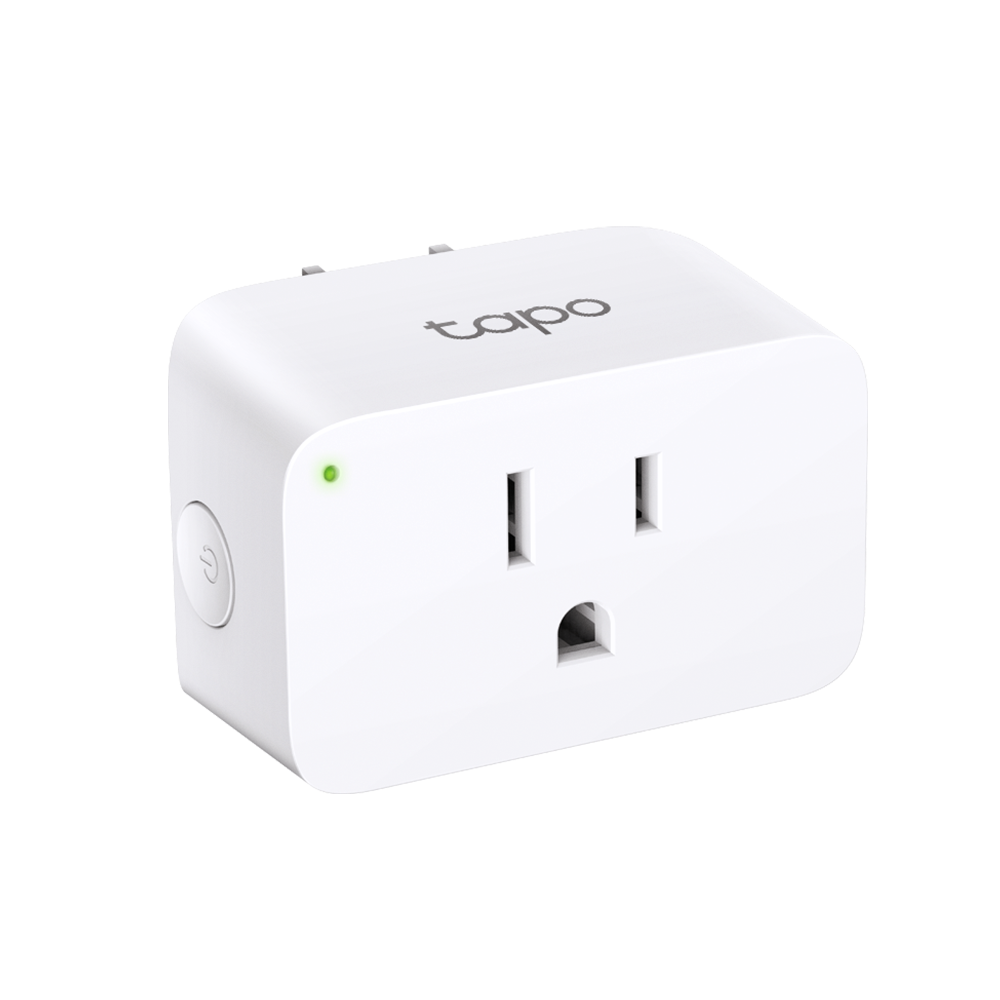
The P105 is a direct plug-in, single-outlet device for a dry indoor location. TP-Link publishes dimensions of 2.4 × 1.5 × 1.3 inches (height, width, depth) and describes the shape as space-saving. Those measurements are useful for screening a crowded outlet, but they do not tell you how much clearance remains around a wall plate, a neighboring plug, a bulky transformer or the cord of the attached appliance. Measure the real outlet and keep access to the plug's side power button. It connects over 2.4 GHz Wi-Fi; Bluetooth is for onboarding rather than the normal control link. The selected US page describes a Tapo-app setup without a separate hub. That can simplify the equipment list, but it still leaves the home Wi-Fi network and Tapo account as part of the operating arrangement. If the intended outlet is far from the router or uses a guest network that isolates devices, check network conditions before relying on app control.Read the appliance-specific limits, not just the largest number
The selected P105 page lists 100–125 V, a maximum 15 A, 1,800 W at 120 V for general or resistive use and a motor limit of 1/6 horsepower. TP-Link's quick-start material adds motor starting-current figures and says not to use a motor or compressor above that horsepower ceiling. This is important: a published current maximum does not erase a lower motor rating, and a motor's starting load is not captured by looking at its running watts alone. The manufacturer's US load table also gives lower examples for some appliances: its listed toaster maximum is 1,500 W and its coffee-maker example is 1,200 W, while several other listed resistive appliances reach 1,800 W. Those examples are not universal approval for every device of that type, but they show why the general-use ceiling is only a first check. Read the appliance nameplate and manual, confirm the voltage and load category, and follow any appliance-specific switching restrictions. The plug should not be used outdoors or in damp locations; the manufacturer explicitly warns against that use.Schedules and voice control, with important gaps
TP-Link documents weekly schedules, countdown timers and Away Mode in the Tapo system. A schedule can be useful for a routine that should repeat, while a countdown is a one-off shutoff; Away Mode varies on/off timing for a connected device such as a lamp. The P105 also lists Alexa, Google Assistant and SmartThings integration. These are separate control routes, so check which app will own routines and whether your chosen assistant's account link is acceptable. The checked P105 sources do not document Apple Home, Matter, energy-use monitoring or local control through Tapo after the household internet connection fails. That distinction matters if you want a power report, an Apple Home automation or app control that survives a service outage. Remote control from the Tapo app is advertised, but that does not itself prove LAN-only operation when the internet is gone. For a hard requirement in any of those areas, choose a model with a matching exact-model support route instead of assuming a newer app or a nearby P105 revision adds it.Where this one-pack assessment fits
The single unit makes sense when one appliance needs one controlled outlet and the Tapo schedule/timer feature set is enough. It is less compelling if you need one purchase to populate several rooms; TP-Link's separate four-pack contains four P105 plugs, each with its own rating and setup. If energy tracking is central, the P110 family is a more relevant comparison, but its additional monitoring does not remove its own load limits or make it an Apple Home/Matter model. Before buying, check that the seller's box is the US P105 one-pack, read the hardware label on the actual unit and confirm the supported voltage and current against your appliance. TP-Link's support page lists several P105 hardware revisions; the V1.2 page label does not tell us which suffix a third-party listing will ship. This review therefore does not promise a seller's revision, inventory, warranty, price, future support or compatibility with a particular appliance. The dated CPSC name-query record is a limited screen, not a safety guarantee. No product testing or customer experience is claimed here.Key specifications
Key details at a glance
| Controlled outlets | One controlled outlet per plug |
|---|---|
| Reviewed package | US one-pack route; one Tapo P105 plug and quick-start guide |
| Maximum current | 15 A |
| Maximum published watts at 120 V | 1800 W |
| Motor limit | 1/6 hp (US quick-start guide: 4.4 FLA / 26.4 LRA) |
| Body height | 2.4 in |
| Body width | 1.5 in |
| Body depth | 1.3 in |
| Network and protocol | 2.4 GHz IEEE 802.11 b/g/n Wi-Fi; Bluetooth is used for onboarding only. |
| Indoor use only | Yes |
| Outdoor rating | No |
| Schedules documented | Yes |
| Countdown timer / auto-off | Yes |
| Away Mode | Yes |
Use the exact model’s instructions for operating limits, supplied equipment and version differences.
Sources for this review
Sources for this assessment
- TP-Link US smart-plug catalog, page 1
- TP-Link US Tapo P105 V1.2 one-pack product page
- Tapo P105 US V1.20/V1.26 datasheet
- Tapo P105 US user guide, V1 support family
- Tapo Mini Smart Wi-Fi Plug US quick-start guide for multiple packs
- TP-Link FAQ: supported US load types for smart plugs
- TP-Link US Tapo P105 support page and version selector
- CPSC SaferProducts exact-name query for Tapo P105 (retrieved 2026-10-29)
Check the exact version against your own outlet
The finder checks documented ratings and features; it cannot approve your appliance, outlet wiring or physical clearance.