
Your needs, this model
Does it fit your priorities?
Can I schedule one HS300 outlet without switching the other five?
Yes. The HS300 V1 guide documents individual outlet control and per-device schedules. The three USB ports are always on, so they do not follow the AC outlet switches.
Explore this need in the finder →How should I read the HS300's 1,875 W maximum?
The V1 datasheet gives 1,875 W at 125 V and a 15 A overall limit for the entire strip. At 120 V, 15 A corresponds to 1,800 W; neither figure multiplies across the six outlets or provides a separate motor rating.
Explore this need in the finder →Does HS300 energy monitoring cover the USB ports too?
The V1 guide describes energy reporting by smart AC outlet. It also specifies three USB ports as always on; the checked documents do not establish the USB ports as separate metered outlets.
Explore this need in the finder →A power strip, not six standalone plugs
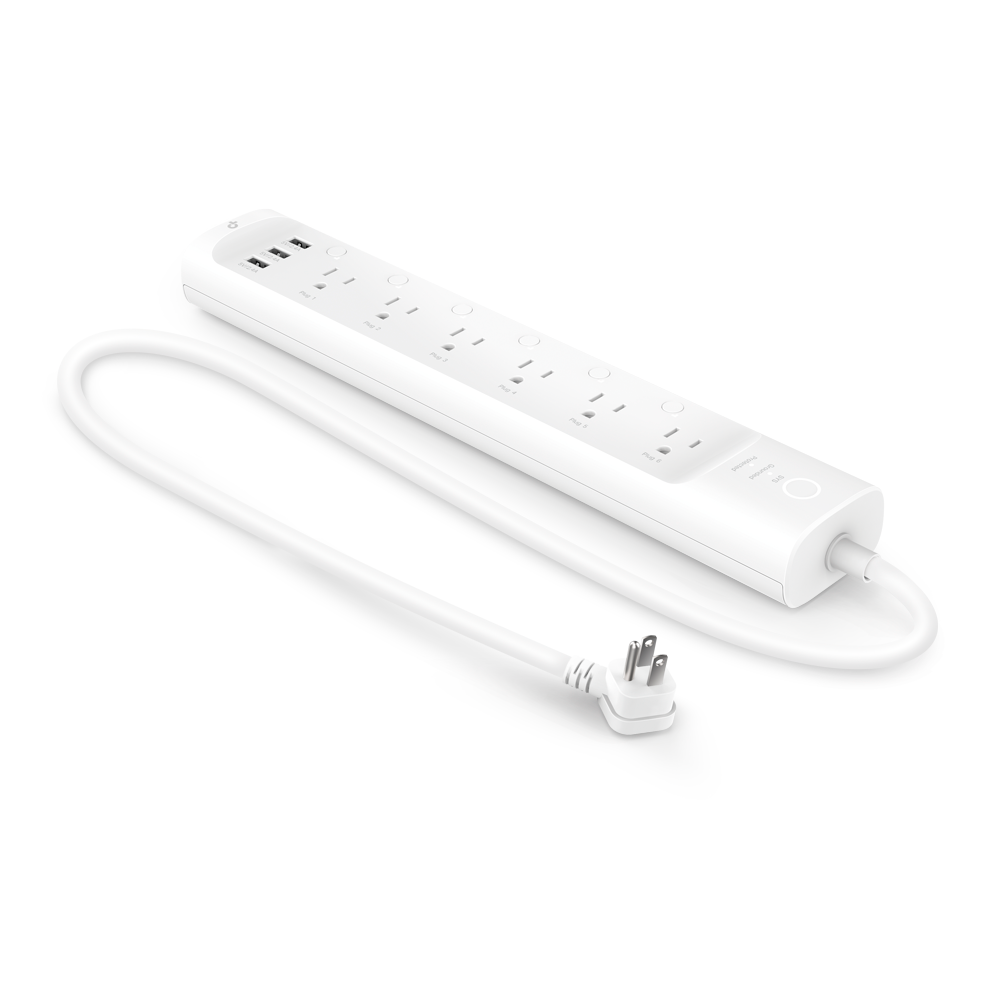
This research-based assessment covers the US catalogue’s Kasa HS300 V1 power-strip route and one strip package; it is not a hands-on test. TP-Link’s selected V1 product page and version-specific documents describe six individually controlled AC outlets plus three always-on USB ports. The USB ports charge devices but are not three additional smart outlets. The package lists one HS300 and a quick-start guide.
The distinction matters for electrical planning. The V1 datasheet rates the strip at 125 V, 15 A and 1,875 W maximum. That is one total limit for the strip, not six outlet-level ratings that can be added together. For a comparison specifically at 120 V, 15 A corresponds to 1,800 W; the datasheet’s 1,875 W figure is its 125 V maximum. Neither number should be treated as approval for every appliance, especially loads with significant startup current.
Loads, spacing and indoor use
TP-Link’s V1 guide lists everyday examples such as a coffee maker, heater, toaster, desk lamp, humidifier, fan and display. That supports a general household-use role, but the V1 datasheet does not state a separate motor-horsepower ceiling. Do not infer one from the 15 A headline or borrow a motor figure from another HS300 revision. Check each appliance’s nameplate and instructions, and keep the entire strip within its shared rating.
At roughly 14.2 × 2.5 × 1.5 inches, the strip is much longer than a wall-plug mini smart plug. TP-Link labels the product dimensions W × D × H on the product page, so this guide records the body as about 14.2 inches wide, 2.5 inches deep and 1.5 inches high. Measure the furniture clearance, cord route and access to the controls; those body measurements do not include working space around the strip. It is specified for indoor use only.
Per-outlet energy and routines
The Kasa app can report energy use for each smart AC outlet, while the strip’s three USB ports remain a separate always-on group. This is useful for comparing the relative consumption of connected devices, not a substitute for a calibrated electrical instrument. TP-Link’s energy-monitoring guidance gives an approximate 3–5% error range for its measurement feature and says it is not a professional power meter. Do not treat app totals as billing-grade measurements.
The V1 guide documents individual schedules, Away Mode and countdown timers. That can be more flexible than switching an entire strip at once: a lamp and a peripheral can be named and scheduled separately. However, a multi-device routine still depends on the Kasa app, a working home Wi-Fi connection for setup and the limits of the app version. TP-Link says Kasa schedules and timers continue on-device during an internet outage; that is not the same as a promise that the phone app can manually reach the strip without internet.
Connectivity, surge protection and limitations
HS300 V1 connects to secured 2.4 GHz Wi-Fi and does not require a separate smart-home hub for Kasa operation. Its V1 documents name Kasa, Alexa and Google Assistant voice control. They do not establish Matter support or an Apple Home route, so do not buy it on the assumption that a different Kasa product’s protocol applies. The product also includes ETL-certified surge protection, but it is not an uninterruptible power supply and does not promise that connected electronics will survive every surge.
Choose this format when several indoor devices need separately controlled AC outlets and per-outlet Kasa energy reports. Compare another product if weather exposure, Matter, documented motor sizing, or a small wall-plug body is essential. The category record identifies hardware V1; TP-Link’s support library also contains later HS300 branches, so match the offer and device label to V1 before applying this assessment. Retailer stock, price, exact listing contents and later revisions are not inferred here.
Key specifications
Key details at a glance
| Controlled outlets | Smart power strip |
|---|---|
| Reviewed package | 1-strip |
| Maximum current | 15 A |
| Maximum published watts at 120 V | 1800 W |
| Motor limit | The selected V1 datasheet and guide do not provide a separate motor horsepower limit; do not transfer one from another HS300 support revision or generic family material. |
| Body height | 1.48 in |
| Body width | 14.17 in |
| Body depth | 2.49 in |
| Network and protocol | Secured 2.4 GHz IEEE 802.11 b/g/n home Wi-Fi; Kasa app setup; no separate Kasa hub required. |
| Indoor use only | Yes |
| Outdoor rating | No |
| Schedules documented | Yes |
| Countdown timer / auto-off | Yes |
| Away Mode | Yes |
Use the exact model’s instructions for operating limits, supplied equipment and version differences.
Sources for this review
Sources for this assessment
- TP-Link US Smart Plugs category, page 2; HS300 V1 item 28324
- TP-Link US Kasa HS300 V1 product page
- TP-Link US HS300 V1 support selector
- TP-Link HS300 (US) V1 datasheet
- TP-Link HS300 (US) V1 user guide
- TP-Link HS300 (US) V1 quick installation guide
- TP-Link Kasa schedule, Away Mode and timer guidance
- TP-Link Kasa FAQs, including schedule/timer persistence during internet loss
- TP-Link energy-monitoring limitations and approximate accuracy
- CPSC SaferProducts exact-name HS300 query
Check the exact version against your own outlet
The finder checks documented ratings and features; it cannot approve your appliance, outlet wiring or physical clearance.