
Your needs, this model
Does it fit your priorities?
Will EP40M work with Apple Home?
The manufacturer labels EP40M Matter-certified and lists Apple Home. Its V1 manual says a Matter controller is needed for third-party Matter setup; TP-Link's newer FAQ describes an Apple Home exception for some newer iOS versions, while a home hub supports remote access, sharing and automations. Check the controller requirement for the Apple setup you plan to use.
Explore this need in the finder →Can its two outlets be controlled separately?
Yes. TP-Link describes two individual sockets and custom schedules for each. The 15 A and 1,875 W published resistive-load figures are a total rating, not a per-socket allowance; compare the combined load and each appliance's own instructions.
Explore this need in the finder →Does Matter make EP40M's setup or temperature range simple?
No. The exact V1 guide requires Bluetooth phone commissioning, a Matter code, the same network/controller and a 15-minute setup window. The product page and datasheet also publish different cable-length and temperature details, so confirm the hardware version and instructions before outdoor installation.
Explore this need in the finder →Document-based assessment of the TP-Link Kasa EP40M V1 US one-plug configuration. I have not used or tested this product; this review is based on the exact product page, V1 datasheet and manual, Matter setup guidance and lifecycle checks.
Matter changes the platform route, not the outdoor rules
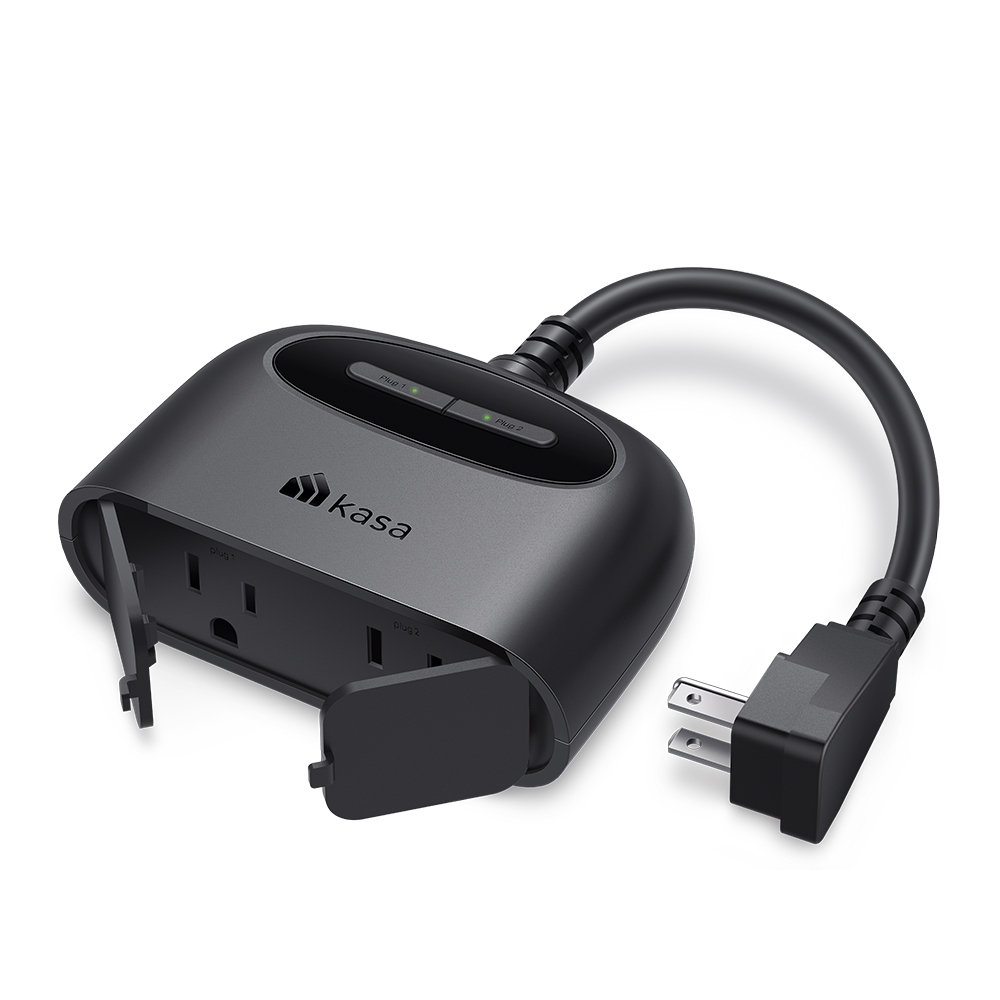
EP40M is the Matter-certified member of TP-Link's corded outdoor family. Its one body contains two individually switched outlets with separate controls, and TP-Link says each can have its own schedule. The current product page lists Kasa Smart, Apple Home, Amazon Alexa, Google Home and Samsung SmartThings. That multi-platform promise is different from the HomeKit support documented for EP40A: EP40M exposes Matter, while the earlier EP40A's checked sources identify HomeKit. A shared “Apple Home” label should not obscure the protocol and setup difference.
The radio details matter too. The product page lists 2.4 GHz 802.11 b/g/n Wi-Fi and Bluetooth for setup only; it does not list Thread. The exact V1 guide says to have a Matter controller, Bluetooth-enabled phone and the Matter code ready, then connect the device and controller to the same network. It warns that Matter setup mode closes 15 minutes after power-on. Keep the code and setup instructions available before starting instead of assuming Bluetooth is the device's everyday radio or that a Matter logo removes the network/controller step.
TP-Link recommends starting with its Kasa or Tapo app and then adding a third-party Matter platform; the Matter FAQ also documents multi-admin for adding a device to other apps. That creates a useful combined arrangement: Kasa can remain the documented route for schedules and countdown timers while an Apple or other Matter platform provides its own control view. Do not assume every schedule, timer, energy view or automation appears in every third-party app. TP-Link's setup FAQ says Apple Home behavior can depend on software: newer iOS may allow some direct Matter setup without a hub, while remote access, sharing and automations still need a home hub. Check current requirements for the exact ecosystem and operating-system version.
Two sockets share one load rating
The current product page states 125 V, 60 Hz and maximum 15 A/1,875 W for a resistive load. The exact V1 datasheet separately lists a 1/2 HP motor limit. Those are not contradictory if read as distinct ratings: the published watt/current line is explicitly for a resistive load, while the datasheet gives a separate motor ceiling. Use the strictest applicable rating across both outlets and follow the connected appliance's instructions; the pair of sockets does not provide two copies of the rating.
TP-Link describes an IP64 weather rating, corded construction and two individual outdoor sockets. The V1 guide says to keep sockets facing down, cap unused openings and use a GFCI outlet outdoors; the datasheet repeats the GFCI requirement. IP64 does not make the plug submersible, and the outlet should be protected from standing water. Check the current version's instructions for the mounting orientation and retain the weather cover. Keep the buttons reachable and do not use a smart plug where the appliance must not be switched or left unattended.
Important source conflicts: cable and temperature
The current EP40M product page says the package contains one plug with a six-inch cable and lists an operating range from -4°F to 122°F. The V1 datasheet linked from the support page gives a 200 mm cable and a 0°C to 40°C operating range. Those are meaningful discrepancies: 200 mm is not six inches, and the temperature limits differ. This review preserves both statements rather than selecting the more favorable number. Check the exact hardware version, in-box instructions and actual seller listing before designing a mount, calculating clearance or relying on the wider temperature range.
The current page labels the body's dimensions 4.33 × 1.54 × 3.19 inches as W × D × H. EP40 and EP40A pages use a different axis order for similar values, so do not compare their published width fields without checking the product diagram and mounting orientation. The cable, wall plate, connected plug and cap all need their own space. None of the body measurements proves that a duplex outlet will remain usable at your home.
Why choose it over the sibling plugs?
EP40M is the model to investigate when Matter interoperability is the deciding requirement and a corded two-outlet outdoor form is appropriate. EP40A offers an explicitly documented HomeKit route and a 1/2 HP motor limit but is an earlier product family according to TP-Link's EOS list. The plain EP40 has Kasa, Alexa and Google support and a simpler app route, but its broad V1 catalog row spans multiple hardware-version pages and cannot serve as a precise seller match. These are distinct products, not interchangeable suffixes.
For this one-plug EP40M record, package count is one; the two controlled outlets are within that single unit. TP-Link's catalogue card lists the model as V1, while the support selector also offers V1.60. The current page is a manufacturer reference, not evidence that any retailer has stock or a specific version. Verify the printed model and version before purchase. The exact CPSC EP40M name search returned no records in the saved 2026-10-29 API response; that limited search is not a safety certification or a promise about future recalls.
Bottom line
EP40M combines a two-outlet outdoor design with Matter, per-outlet Kasa schedules and a countdown timer. Its tradeoffs are the required controller/setup path for third-party Matter, unknown parity between the Kasa and Matter app features, and manufacturer conflicts over cable length and operating range. Do not make a buying decision from the protocol label alone: check the appliance load, exact hardware label, controller requirements, socket orientation, GFCI protection and physical clearance. Read TP-Link's EP40M product page, EP40M V1 support and manual and Matter controller guidance before choosing an exact offer.
Key specifications
Key details at a glance
| Controlled outlets | One corded plug with two individually controlled outlets |
|---|---|
| Reviewed package | 1-pack |
| Maximum current | 15 A |
| Maximum published watts at 120 V | 1800 W |
| Motor limit | 1/2 HP motor per the exact V1 datasheet; the current product page separately labels its 15 A/1,875 W load as resistive. |
| Body height | 3.19 in |
| Body width | 4.33 in |
| Body depth | 1.54 in |
| Network and protocol | 2.4 GHz 802.11 b/g/n Wi-Fi; Bluetooth is for setup only. Matter support exposes documented Apple Home, Alexa, Google Home and SmartThings routes, while the Kasa app remains a separate vendor route. |
| Indoor use only | No |
| Outdoor rating | Yes |
| Schedules documented | Yes |
| Countdown timer / auto-off | Yes |
| Matter controller for third-party app | Yes |
Use the exact model’s instructions for operating limits, supplied equipment and version differences.
Sources for this review
Sources for this assessment
- TP-Link US Smart Plugs catalogue, page 1
- Kasa EP40M US Matter outdoor-plug product page
- EP40M US support page and V1/V1.60 hardware selector
- EP40M US V1 datasheet
- EP40M US V1 user guide
- Kasa Matter quick-start guide linked from EP40M support
- TP-Link Matter setup and controller guidance
- TP-Link Matter platform feature guidance
- TP-Link Matter multi-platform setup guidance
- CPSC exact-name EP40M recall API query
Check the exact version against your own outlet
The finder checks documented ratings and features; it cannot approve your appliance, outlet wiring or physical clearance.